
Computer questions are often the easiest marks in competitive exams if you prepare them the right way Previous year questions clearly show what examiners actually ask making them the smartest source for focused and effective practice.
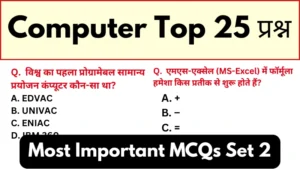
This Computer Practice Test 2: Previous Year Questions with Answers is specially curated for aspirants preparing for SSC, Banking, Railway and other government exams Every question is selected from past papers to help you understand real exam patterns and repeated topics.
Designed with practical exam experience this practice test strengthens your basics in computer fundamentals, MS Office, internet and digital awareness The included answers make revision quick and help you identify weak areas without confusion.
Whether you are revising or starting your preparation this test will improve your accuracy speed, and confidence Practice consistently with previous year questions and turn computer awareness into a reliable scoring section.
Latest GK Test Series
Computer Practice Test 2: Previous Year Questions with Answers
Q. Which Excel feature allows you to edit the same cell or range of cells simultaneously with multiple users in real time?
A. Sharing
B. Tracking
C. Co-authoring
D. Editing
Answer: C. Co-authoring
Q. In MS-Excel, formulas always begin with which symbol?
A. +
B. –
C. =
D. *
Answer: C. =
Q. Which of these functions is used to calculate the maximum value in a selected column in MS Excel?
A. MIN
B. AVG
C. SUM
D. MAX
Answer: D. MAX
Q. In Microsoft PowerPoint, what is the shortcut key combination to insert a new slide into a presentation?
A. Ctrl + N
B. Ctrl + S
C. Ctrl + M
D. Ctrl + P
Answer: C. Ctrl + M
Q. How can we add text to a slide in MS-PowerPoint?
A. WordArt
B. Text Box
C. Header
D. Footer
Answer: B. Text Box
Q. Which view in MS PowerPoint is useful for editing or formatting one slide at a time?
A. Slide Sorter view
B. Reading view
C. Normal view
D. Outline view
Answer: C. Normal view
Q. In MS PowerPoint, where can you find the ‘From Beginning’ and ‘From Current Slide’ options to run a slide show?
A. Home tab
B. Insert tab
C. View tab
D. Slide Show tab
Answer: D. Slide Show tab
Q. Which key can be pressed to start a slide show in MS PowerPoint?
A. F2
B. F4
C. F5
D. F7
Answer: C. F5
Q. In an MS PowerPoint presentation, slide numbers can be added to each slide through which of the following?
A. Header
B. Footer
C. Title
D. Notes
Answer: B. Footer
Q. How is the font size specified in Microsoft Office?
A. In inches
B. In centimeters
C. In pixels
D. In points
Answer: D. Points
Q. Which of the following shortcut keys is used to paste a slide in Microsoft PowerPoint?
A. Ctrl + C
B. Ctrl + X
C. Ctrl + Z
D. Ctrl + V
Answer: D. Ctrl + V
Q. What is the keyboard shortcut to insert a new slide in an MS-PowerPoint presentation?
A. Ctrl + N
B. Ctrl + M
C. Ctrl + P
D. Ctrl + S
Answer: B. Ctrl + M
Q. In Microsoft Word, in which tab is the Mail Merge Wizard located?
A. Home
B. Insert
C. Review
D. Mailings
Answer: D. Mailings
Q. What happens when you click the Save button or press Ctrl + S in Microsoft Word?
A. The file is printed
B. The file is closed
C. The document is saved to a disk file
D. A new document opens
Answer: C. The document is saved to a disk file
Q. Which of the following is the default alignment of text in a Microsoft Word document?
A. Right
B. Center
C. Justify
D. Left
Answer: D. Left
Q. In Microsoft Word, which option allows you to exclude specific words or types of text from spell and grammar checks?
A. Auto Correct
B. Thesaurus
C. Custom Dictionary
D. Exclusion Dictionary
Answer: D. Exclusion Dictionary
Q. Which of the following is an example of system software?
A. MS Word
B. Excel
C. Windows operating system
D. Photoshop
Answer: C. Windows operating system
Q. How can you access the Step by Step Mail Merge Wizard in Microsoft Word?
A. By clicking on the Home tab
B. By clicking on the Review tab
C. By clicking on the Insert tab
D. By clicking on the Mailings tab
Answer: D. By clicking on the Mailings tab
Q. Which of the following is the fastest way to open the Help window in Microsoft Word?
A. Ctrl + H
B. Ctrl + F
C. Pressing F1
D. Alt + H
Answer: C. Pressing F1
Q. Which of the following are required for Skype to work on a computer?
A webcam
A microphone
A speaker
A. Only 1
B. Only 2
C. Only 3
D. 1, 2 and 3
Answer: D. 1, 2 and 3
Q. What type of computer security requires verifying the authenticity of individuals or organizations attempting to access a system?
A. Encryption
B. Firewall
C. Authentication
D. Backup
Answer: C. Authentication
Q. What was the world’s first programmable general-purpose computer?
A. EDVAC
B. UNIVAC
C. ENIAC
D. IBM 360
Answer: C. ENIAC
Q. Which of the following statements correctly describes application software?
A. To control hardware
B. To boot the system
C. Designed to perform specific tasks or functions to meet user needs
D. To secure the network
Answer: C. Designed to perform specific tasks or functions to meet user needs
Q. What enables IoT devices to collect and exchange data over a network? A. Server
B. Router
C. Actuators and Sensors
D. Cloud
Answer: C. Actuators and Sensors
Q. Name the web portal launched by the Department of Telecommunications for sharing information on mobile towers and EMF emission compliance.
A. Bharat Sanchar
B. Digital India
C. Sanchar Saathi
D. Tarang Sanchar
Answer: D. Tarang Sanchar
Conclusion
Practicing previous year computer questions is key to mastering this high scoring section Regular revision with solved tests improves accuracy and boosts confidence Make this practice test a part of your daily preparation to maximize your marks in competitive exams.