
AI Mock Test Generator Prompt for Exam Preparation: Create Practice Tests with AI
Mock tests are an important part of exam preparation. They give students a chance to practice questions in a test-like environment and understand how well they are prepared. A good mock test can also help students identify weak topics, manage their time, and become familiar with solving questions under pressure.
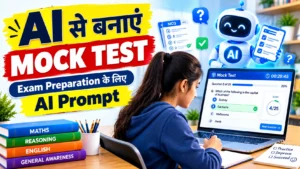
Creating a complete mock test manually can take time, especially when you want questions from different subjects and topics. AI can be used as a helpful study assistant for this purpose. With a clear prompt, students can ask an AI tool to create a customized mock test according to their exam, subjects, difficulty level, and number of questions.
The AI Mock Test Generator Prompt given below can help students create practice tests with multiple-choice questions, options, answers, explanations, and a simple exam-like structure.
If you are interested in more useful study prompts, you can explore our AI Prompts for Students category.
AI Mock Test Generator Prompt for Students
Copy the following prompt and customize it according to your exam:
Act as a professional mock test creator. I am preparing for [EXAM NAME]. Create a mock test with [NUMBER] multiple-choice questions from [SUBJECT/TOPICS]. Give 4 options (A, B, C, D) for each question with only one correct answer. Keep the questions exam-oriented and suitable for my exam level. Include a mix of easy, moderate, and difficult questions. Do not repeat questions or use confusing options. At the end, provide the answer key with short explanations for the questions. Make the test practical and similar to the type of questions asked in competitive exams.
How to Use the AI Mock Test Prompt
Using the prompt is simple. You only need to replace the information inside the brackets according to your requirements.
- Enter your exam name in [EXAM NAME].
- Enter the number of questions you want in [NUMBER].
- Add the subject or topics in [SUBJECT/TOPICS].
- Copy the complete prompt and paste it into your AI tool.
- Try to solve the generated test without looking at the answers.
- Check the answer key after completing the test.
- Review your mistakes and revise the topics where you need more practice.
Latest GK Test Series
Example of an AI Mock Test Request
For example, a student preparing for SSC CGL can use a request like this:
Act as a professional mock test creator. I am preparing for SSC CGL. Create a mock test with 25 multiple-choice questions from General Awareness, Reasoning, Mathematics, and English. Give 4 options for each question with only one correct answer. Include easy, moderate, and difficult questions. Keep the questions clear and suitable for SSC CGL preparation. Do not repeat questions. Provide the answer key and short explanations at the end.
This type of instruction tells the AI what kind of test you need and how you want the questions to be presented.
Create a Subject-Wise Mock Test with AI
You do not always need to create a full mock test. Sometimes it is better to practice one subject or topic at a time.
For example, you can ask AI to create a Mathematics mock test covering percentage, profit and loss, ratio, averages, and simple interest. Similarly, you can create a Reasoning test from topics such as analogy, coding-decoding, series, and classification.
Subject-wise tests can be especially useful when you want to improve a particular area before attempting a complete mock test.
Customize the Mock Test According to Your Exam
One of the useful features of an AI-generated mock test is that you can provide specific instructions. Instead of asking for a general test, you can tell the AI exactly what you want to practice.
You can mention:
- Exam name
- Number of questions
- Subjects and topics
- Difficulty level
- Question type
- Time limit
- Previous year question style
- Topics that need extra practice
For example:
Create a 30-question mock test for Railway NTPC preparation. Include questions from General Awareness, Mathematics, and Reasoning. Keep the difficulty at an easy to moderate level. Give me a suggested time limit of 30 minutes. Do not show the answers until I complete the test. After I submit my answers, provide the answer key, score, and short explanations for incorrect answers.
This makes the practice session more interactive and closer to a real test experience.
Use AI to Analyze Your Mock Test Mistakes
Taking a mock test is only one part of preparation. Understanding your mistakes is equally important.
After completing a test, you can give your incorrect questions to an AI tool and ask it to explain the concepts in simple language. You can also ask which topics need more revision based on your mistakes.
For example, you can write:
These are the questions I answered incorrectly in my mock test. Analyze my mistakes, explain the correct concepts in simple language, and suggest which topics I should revise before taking my next test.
This can help turn a mock test into a useful learning and revision activity.
Combine Mock Tests with Notes and MCQ Practice
AI mock tests can work well when they are used along with other study methods. Students can first prepare simple notes, practice topic-wise questions, and then take a mock test to check their overall preparation.
If you want to create simple study notes with AI, you can use our AI Notes Making Prompt for Students.
You can also explore the other prompts in our AI Prompts for Students category for study planning, notes, MCQ practice, and revision.
Tips for Getting Better Results from an AI Mock Test
- Clearly mention the exam and subject you are preparing for.
- Tell the AI how many questions you need.
- Mention the required difficulty level.
- Ask for clear and unambiguous options.
- Try to solve the test before checking the answers.
- Review incorrect answers after every test.
- Keep a record of topics where you repeatedly make mistakes.
- Use the official syllabus and previous year questions to guide your preparation.
Why Should Students Take Mock Tests?
Mock tests help students practice what they have studied. They can also show which topics are strong and which areas need more attention.
Another important benefit is time management. When students regularly solve questions within a fixed time, they can understand how quickly they need to work during an actual examination.
Mock tests should not be used only to get a high score. The mistakes made during a test can provide useful information about what should be studied next.
Important Note About AI-Generated Mock Tests
AI-generated questions are useful for additional practice, but they may sometimes contain factual errors, incorrect answers, or questions that do not exactly match the latest exam pattern.
For this reason, students should verify important information using reliable books, official exam notifications, the official syllabus, and other trusted study resources. AI should be treated as a study assistant and not as a replacement for proper exam preparation.
Frequently Asked Questions (FAQs)
What is an AI Mock Test Generator Prompt?
An AI Mock Test Generator Prompt is an instruction that tells an AI tool to create a practice test according to a student’s exam, subjects, topics, question count, and difficulty level.
Can AI create a complete mock test?
Yes. You can ask AI to create a complete mock test with multiple-choice questions, four options, an answer key, and explanations. You can also specify the subjects and number of questions.
Can I create a mock test for competitive exams?
Yes. You can customize the prompt for different competitive exams by providing the exam name, subjects, topics, and required difficulty level.
Can I ask AI not to show answers immediately?
Yes. You can instruct the AI to provide the questions first and give the answer key only after you complete the test. This can make the practice session more useful for self-testing.
Can AI analyze my mock test mistakes?
Yes. You can provide your incorrect answers or questions to the AI and ask it to explain your mistakes and suggest topics for further revision.
Should I use only AI-generated mock tests for exam preparation?
No. AI-generated tests should be used as an additional practice resource. Students should also follow the official syllabus, study reliable material, solve previous year questions, and take appropriate mock tests.
Conclusion
The AI Mock Test Generator Prompt for Exam Preparation can help students create customized practice tests without spending a lot of time preparing questions manually. By adding the exam name, subjects, topics, difficulty level, and number of questions, students can create practice sessions according to their needs.
The real value of a mock test comes from reviewing mistakes and improving weak areas. Therefore, do not focus only on your score. Use every test as an opportunity to understand your preparation and decide what to revise next.
AI can make this process more convenient, but it should be used as a supporting study tool. For more practical AI prompts for students, visit the AI Prompts for Students category on RojgarX.